Safety and Human Factors: Reducing Risk in AR Deployments

While cybersecurity threats grab headlines, the physical and cognitive risks associated with AR deployment can be equally damaging to organizations and individuals. A worker injured while using poorly designed AR interfaces, or a critical error caused by information overload, can have immediate and lasting consequences that extend far beyond data breaches.

What are human factors in AR?

Human factors in engineering focuses on optimizing the interaction between people and systems. In AR contexts, this includes ergonomics, cognitive load, situational awareness, and user acceptance. Poorly designed AR experiences can lead to fatigue, errors, or even accidents, especially in industrial or field environments where safety is paramount.

The unique challenges of human AR factors include:

Visual and Cognitive Load: AR overlays information onto the real world, potentially creating visual clutter or cognitive overload. Users must process both digital and physical information simultaneously, which can lead to attention tunneling or missed critical cues.

Ergonomic Considerations: Head-mounted displays can cause neck strain, eye fatigue, and balance issues, particularly during extended use. The weight distribution, field of view, and display brightness all impact user comfort and safety.

Situational Awareness: AR can enhance situational awareness by providing contextual information, but it can also reduce it by obscuring important visual cues or creating false confidence in automated systems.

Social and Environmental Factors: AR use in shared spaces can create safety hazards for both users and bystanders who may not be aware of the user’s altered perception of reality.

How to reduce risk:

Use AREA’s assessment tools to evaluate your AR solutions before deployment. The Safety and Human Factors Assessment Framework provides a systematic approach to identifying and mitigating risks throughout the AR development and deployment lifecycle.

The framework includes several key components:

Risk Identification: Systematic evaluation of potential hazards associated with AR use in specific environments and tasks. This includes physical hazards (trips, falls, collisions), cognitive hazards (information overload, distraction), and social hazards (isolation, communication barriers).

User-Centered Design: Involving end users in testing and feedback loops throughout the development process. This includes usability testing, ergonomic assessments, and long-term studies of user adaptation and acceptance.

Environmental Assessment: Evaluating the physical and social environment where AR will be used. Factors such as lighting conditions, noise levels, space constraints, and the presence of moving machinery or vehicles all impact safety.

Training and Support: Developing comprehensive training programs that address not just how to use AR systems, but how to use them safely. This includes recognizing signs of fatigue, understanding system limitations, and knowing when to disengage from AR interfaces.

Real-world examples from AREA use cases and fireside chats demonstrate the importance of human factors considerations:

Manufacturing Case Study: One AREA member shared how a simple change in AR interface design reduced user errors by 30%. The original design placed critical safety information in the peripheral vision area, where it was often missed during complex assembly tasks. Moving this information to the central field of view dramatically improved safety outcomes.

Training Application: Another use case highlighted the importance of regular safety drills for AR-equipped workers. Initial deployment showed promising productivity gains, but incident rates increased due to over-reliance on AR guidance. Implementing regular “AR-off” drills helped maintain situational awareness and emergency response capabilities.

Field Service: A telecommunications company discovered that AR-guided maintenance procedures were causing technicians to ignore standard safety protocols. The AR interface was so engaging that users focused exclusively on digital instructions while ignoring physical safety cues. Redesigning the interface to include explicit safety reminders and environmental awareness prompts resolved the issue.

The AREA Safety and Human Factors Assessment includes practical tools for measuring and improving AR safety:

Usability Metrics: Standardized measures of task completion time, error rates, and user satisfaction that can be tracked over time and compared across different AR implementations.

Physiological Monitoring: Guidelines for measuring eye strain, neck tension, and other physical indicators of AR-related stress or fatigue.

Cognitive Load Assessment: Methods for evaluating the mental workload imposed by AR interfaces and identifying opportunities for simplification or optimization.

Safety Culture Integration: Strategies for incorporating AR safety considerations into existing organizational safety programs and cultures.

Implementation Best Practices

Start with low-risk applications and gradually expand to more critical use cases as experience and confidence grow. Training simulations and maintenance support are often good starting points before moving to safety-critical applications.

Establish clear protocols for AR use, including when to engage and disengage AR interfaces, how to handle system failures, and procedures for emergency situations. These protocols should be regularly practiced and updated based on experience.

Monitor user feedback and safety metrics continuously. Early warning signs of human factors issues include increased error rates, user complaints about fatigue or discomfort, and reluctance to use AR systems.

Collaborate with safety professionals, ergonomics experts, and human factors engineers throughout the AR development and deployment process. Their expertise is essential for identifying and mitigating risks that may not be obvious to AR developers or IT professionals.

Final thought:

Security and safety go hand in hand in AR deployments. By addressing human factors early in the development process, you not only protect your people, but you also boost AR adoption and ROI. Users who feel safe and comfortable with AR systems are more likely to embrace them fully and realize their potential benefits.

The investment in human factors assessment and design pays dividends in reduced training costs, lower error rates, improved user satisfaction, and most importantly, safer workplaces. In an era where AR is becoming mission-critical for many enterprises, human factors can’t be an afterthought—they must be built into the foundation of every AR deployment.

[Supporting Visual: AR Safety & Human Factors Risk Matrix – See attached branded risk assessment matrix with specific AR risk examples and mitigation framework]

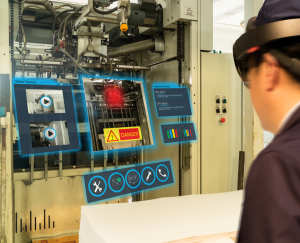



From Assessment to Action: Building a Zero Trust Approach in Enterprise AR

The traditional “castle and moat” approach to security—where everything inside the network perimeter is trusted—simply doesn’t work in today’s AR landscape. AR devices are mobile, often operating in diverse environments, connecting to cloud services, and processing sensitive data in real-time. They blur the lines between internal and external networks, making perimeter-based security obsolete.

Understanding Zero Trust for AR

Zero Trust is built on three core principles that are particularly relevant for AR deployments:

  1. Never Trust: Don’t assume any device, user, or network connection is secure by default
  2. Always Verify: Continuously authenticate and authorize every access request
  3. Assume Breach: Design systems assuming that compromise is inevitable and containment is critical

Applying Zero Trust to AR:

Identity and Access Management

Use strong, multi-factor authentication for all AR devices and users. This is particularly challenging for shared AR devices or hands-free environments where traditional authentication methods may not work. Consider biometric authentication, voice recognition, or proximity-based authentication using trusted personal devices.

AREA research shows that 67% of AR security incidents involve compromised user credentials. Implementing robust identity management isn’t just about passwords—it’s about creating a comprehensive identity fabric that can adapt to the unique constraints of AR environments.

Least Privilege Access

Limit access to only what’s necessary for each user or application. In AR contexts, this means granular permissions for different types of content, locations, and functions. A maintenance worker might need access to equipment manuals and work orders, but not to financial data or personnel records.

Consider implementing role-based access controls (RBAC) that automatically adjust based on context—location, time of day, device type, and current task. Dynamic access controls can significantly reduce the attack surface while maintaining usability.

Continuous Monitoring

Track device health, user behavior, and data flows in real time. AR devices generate vast amounts of telemetry data that can be leveraged for security monitoring. Unusual patterns—such as accessing sensitive data in unexpected locations or at unusual times—can trigger automated responses.

Behavioral analytics are particularly powerful in AR environments. The system can learn normal usage patterns and detect anomalies that might indicate compromise or misuse. This includes monitoring for unusual head movements, interaction patterns, or application usage.

Micro-Segmentation

Isolate AR systems from other enterprise networks to contain breaches. Create secure enclaves for different types of AR applications and data. Manufacturing AR systems should be isolated from office networks, and training applications should be separated from operational systems.

Network segmentation in AR requires careful consideration of mobility and connectivity requirements. Software-defined perimeters (SDP) and secure access service edge (SASE) architectures are particularly well-suited for AR deployments.

Implementation Strategies

Start with a pilot project to test Zero Trust principles in a controlled environment. Choose a use case with clear security requirements and measurable outcomes. Manufacturing maintenance, remote assistance, and training applications are often good starting points.

AREA’s Zero Trust infographic breaks down these principles with AR-specific examples, showing how leading organizations have successfully implemented Zero Trust architectures. For practical implementation tips, AREA’s webinars and fireside chats feature industry leaders sharing lessons learned and common pitfalls.

Common Implementation Challenges

Device Management: AR devices often have limited processing power and battery life, making it challenging to implement robust security controls without impacting performance. Edge computing and cloud-based security services can help address these constraints.

User Experience: Security controls must be balanced with usability. Overly complex authentication or frequent interruptions can reduce adoption and effectiveness. Design security controls that are transparent to users while maintaining strong protection.

Legacy Integration: Many enterprises have existing systems that weren’t designed with Zero Trust principles in mind. Gradual migration strategies and security overlays can help bridge the gap while maintaining operational continuity.

Key Takeaways

Zero Trust is not a product, but a mindset and set of practices that must be adapted to your specific AR use cases and risk profile. Start with the highest-risk areas identified in your self-assessment and gradually expand your Zero Trust implementation across your AR ecosystem.

Success requires collaboration between IT security, AR development teams, and business stakeholders. Regular assessment and adjustment are essential as your AR program evolves and new threats emerge.

Ready to take action?

Begin with a pilot project, measure results, and scale your Zero Trust approach across your AR ecosystem. The journey from assessment to implementation requires careful planning, but the security benefits are substantial. Your AR future depends on the security decisions you make today.

[Note: This article references AREA’s Zero Trust infographic and webinar content for practical implementation guidance]


How Secure Is Your AR Deployment?

That’s why the AREA developed the AR Security Maturity Self-Assessment: a free, practical tool to help organizations benchmark their AR security posture. Whether you’re just starting with AR or scaling up, this assessment guides you through key domains such as device management, data protection, user authentication, and incident response.

How does it work?

The self-assessment is structured around best practices and real-world scenarios, drawing on AREA’s extensive research and member expertise. You’ll answer questions about your current policies, controls, and processes. At the end, you’ll receive a maturity score and tailored recommendations for improvement.

The assessment covers five critical domains:

1. Device Management: How do you provision, update, and manage AR devices throughout their lifecycle? This includes everything from initial setup to decommissioning, ensuring devices remain secure and compliant with organizational policies.

2. Data Protection: What measures are in place to protect sensitive data processed by AR applications? This encompasses encryption, data classification, access controls, and data residency requirements.

3. User Authentication: How do you verify user identities and manage access to AR systems? Strong authentication mechanisms are crucial, especially for shared or multi-user AR devices.

4. Network Security: How do you secure communications between AR devices and enterprise systems? This includes network segmentation, traffic monitoring, and secure connectivity protocols.

5. Incident Response: Do you have procedures for detecting, responding to, and recovering from AR-related security incidents? Preparation is key to minimizing impact and ensuring business continuity.

Why take the assessment?

  • Identify gaps in your AR security strategy before they become vulnerabilities
  • Prioritize actions based on risk and organizational maturity
  • Access AREA’s library of security infographics and webinars for deeper learning
  • Benchmark your progress over time as your AR program matures
  • Connect with AREA’s community of security professionals and practitioners

The assessment isn’t just about identifying weaknesses—it’s about building a roadmap for improvement. Each domain includes specific recommendations and links to additional resources, including AREA’s comprehensive security framework and best practice guides.

Real-world insights from AREA members show that organizations using the self-assessment report improved security posture within 6-12 months. One manufacturing company discovered critical gaps in their device management processes, leading to a complete overhaul of their AR deployment strategy. Another enterprise found that their incident response procedures didn’t account for AR-specific scenarios, prompting the development of new protocols.

Next steps:

After completing the assessment, explore AREA’s fireside chats and video resources for expert insights and case studies. Security is a journey, not a destination—start yours with a clear map.

The assessment takes approximately 30-45 minutes to complete and provides immediate results with actionable recommendations. It’s designed to be revisited quarterly or after significant changes to your AR environment.

Remember: AR security isn’t just about protecting data—it’s about protecting people, processes, and your organization’s reputation. In an era where AR is becoming mission-critical for many enterprises, security can’t be an afterthought.

Take the first step toward securing your AR future. Your assessment awaits.


How to Measure AR ROI—A Practical Guide Using the AREA Calculator

Comparison of Visual Positioning Systems and Spatial Anchors

The AREA’s comprehensive research on AR ROI best practices reveals that organizations pioneering AR technology deployments and realizing superior ROI exhibit five common practices. This guide walks you through the practical application of these insights.

Step 1: Define Your Use Case and Gather Data

Start by clarifying your AR use case—maintenance, training, remote support, or something else. The AREA case study of an AR-enabled Maintenance Repair Operations (MRO) application shows how one healthcare services company achieved a 42% annual rate of return.

Gather baseline data through time and motion studies. In the AREA case study, the company conducted detailed studies with five maintenance technicians, revealing an average time savings of 58 minutes per repair task—a 45% improvement.

Step 2: Map Out Costs and Benefits

The AREA ROI Calculator helps you break down:

Direct Costs:
Software licenses and annual maintenance fees

  • Hardware (AR devices, network infrastructure, servers)
  • Labor costs (deployment, training, ongoing management)
  • Consulting and professional servicesDirect Benefits:
  • Productivity improvements (reduced task time, fewer errors)
  • Cost reductions (eliminated hardware, software, services)
  • Reduced inventory carrying costs
  • Lower audit and accounting costsIndirect Benefits:
  • Increased profits from improved customer satisfaction
  • Reduced customer churn
  • Enhanced safety and compliance
  • The AREA research emphasizes the importance of translating all benefits into corresponding cash flows. For example, productivity improvements should be calculated using fully loaded annual costs (wages plus benefits) for all affected employees.

Step 3: Account for Digital Readiness

One of the most significant challenges in AR ROI analysis is accounting for “digital readiness” costs. Converting paper-based operations to digital formats can consume significant resources. AREA best practices suggest:

  • Developing a formal or informal corporate digitization strategy
  • Accounting for digital readiness costs separately from project-based ROI
  • Digitizing resources in manageable chunks
  • Leveraging existing digital assets whenever possible

Step 4: Analyze and Communicate Results

The AREA ROI Calculator provides clear outputs: payback period, net present value, and ROI percentage. In the case study example, the MRO deployment delivered:

  • 42% annual rate of return
  • €129,000 annual average net benefit
  • Payback period of 3 years and 47 days

Pro Tips from AREA Best Practice:

  • Conduct time and motion studies for accurate baseline data
  • Involve end users throughout the process to ensure buy-in
  • Use pilot projects to validate assumptions and refine your model
  • Document both tangible and intangible benefits for a holistic view
  • Assign a “Champion” to follow through on implementation¹⁰

For a visual walkthrough, check out the AREA’s Introduction to ROI Calculator and Use Cases video available on their website.


Why ROI is the Key to Unlocking Enterprise AR Adoption

Why ROI Matters

ROI is more than a financial metric. It’s a strategic tool that helps organizations:

  • Justify AR investments to leadership and budget holders
  • Prioritize projects with the highest impact
  • Track progress and optimize deployments over time

According to AREA research, acceptable minimum threshold rates of return on investment for IT infrastructure and software range from ten percent to fifteen percent depending on the industry. But AR’s value isn’t always obvious. Benefits like reduced downtime, faster training, and improved safety can be both tangible and intangible. That’s why a structured approach to ROI is essential.

“We learned early on to quantify everything – time saved, errors reduced – so that leadership understands AR is a real value driver.” – Paul Davies, Boeing – Technical Fellow, Immersive Technologies

The Challenge of Digital Transformation

The digital transformation of enterprise through software-as-a-service driven business models, agile development processes, and connected technologies like IoT and AR have created new opportunities but also new challenges for ROI analysis. These trends are impacting AR ROI in three important ways:

1. Significant upfront investment needed for “digital readiness”
2. Shorter payback timeframes due to operational expense models
3. Stronger focus on revenue-generating investments

The AREA ROI Calculator: Your Starting Point

The AREA ROI Calculator is a free, purpose-built tool for evaluating AR investments. Developed by TechInsights in partnership with the AREA, it guides you through identifying, quantifying, and comparing costs and benefits, so you can build a compelling business case. Whether you’re just starting or scaling up, it’s the foundation for any AR ROI conversation.

The calculator prompts users to enter real or estimated metrics in formulas that then calculate the ROI. It addresses the unique challenges of evaluating early-stage technologies like AR, where operating systems, data protocols, and formats are often proprietary compared to more standardized platforms.

“Clear ROI can turn skeptics into AR champions overnight. For organizations, adoption hinges on proving measurable value – like cutting downtime by 50% – while also elevating the quality of work employees deliver. When both the bottom line and performance improve, AR stops being a novelty and becomes an indispensable tool.” – Brian Hamilton, DigiLens Inc. – Vice President, Sales & Marketing


The AREA Welcomes ShapesXR as a Member

Shapes XR

The Augmented Reality for Enterprise Alliance (AREA) today announced that ShapesXR has joined the consortium.

ShapesXR is an enterprise-focused, collaborative design platform built to accelerate 3D prototyping and spatial design across organizations. Used by industry leaders such as Mayo Clinic, Mondelez, Chanel, and Microsoft, it enables cross-functional teams to rapidly ideate, iterate, and communicate spatial concepts, including VR training scenarios and AR remote assistance. By bridging the gap between design and development, ShapesXR helps enterprises reduce time-to-market, minimize costly misalignments, and align stakeholders more effectively around shared visions.

As part of our commitment to advancing enterprise AR, ShapesXR has joined the AREA . The AREA provides a highly curated network of AR experts, structured engagement opportunities through workshops and working groups, and a platform to exchange best practices in human-centered design and spatial computing. It also offers valuable visibility for our solutions among decision-makers and thought leaders, as well as access to a wide range of member-exclusive resources. Joining the AREA reinforces our focus on shaping the future of immersive collaboration for the enterprise sector.

“By joining the AREA, we aim to contribute to the advancement of enterprise AR by supporting the creation of high-quality spatial content. As a creative tool purpose-built for designing XR experiences, ShapesXR is committed to empowering teams to bring their ideas to life and shaping the standards for immersive collaboration across industries.”

“We are proud to announce ShapesXR as a member of the AREA,” said Mark Sage, executive director of AREA. “Their experience with enterprise-focused solutions for 3D prototyping and spatial design is an excellent addition to the AREA as we work on enterprise AR adoption.”

About ShapesXR

ShapesXR is an advanced, collaborative design platform that allows users to prototype products and experiences in 3D within minutes. Its core mission is to democratize 3D content creation, enabling designers, developers, and business stakeholders to ideate, prototype, and communicate in 3D-without requiring prior experience in game engines or coding. For more information, visit https://www.shapesxr.com/.

About the AR for Enterprise Alliance (AREA)

The AR for Enterprise Alliance (AREA) is the only global membership-funded alliance helping to accelerate the adoption of enterprise AR by supporting the growth of a comprehensive ecosystem. The AREA accelerates AR adoption by creating a comprehensive ecosystem for enterprises, providers, and research institutions. AREA is a program of Object Management Group® (OMG®). For more information, visit the AREA website.

Object Management Group and OMG are registered trademarks of the Object Management Group. For a listing of all OMG trademarks, visit https://www.omg.org/legal/tm_list.htm. All other trademarks are the property of their respective owners.


Beyond the Headset: Empowering Frontline Inspections with the Untapped Potential of Voice

Beyond the Headset

Inspections form the bedrock of safe and efficient operations across vital industries like manufacturing, aviation, utilities, and logistics. Yet, all too often, these critical processes are weighed down by the inefficiencies of paper trails, the tedium of manual data entry, and the inconsistencies of human interpretation. As organizations embrace digital transformation, hands-free technologies like voice interfaces and augmented reality are emerging as powerful allies, promising significant gains in safety, accuracy, and overall productivity.

The Augmented Reality for Enterprise Alliance (AREA), a leading voice in the adoption of immersive technologies, recently shed light on this evolution with their report, “The Adoption of Real-Time AR-assisted Inspections for Quality and Compliance”. This insightful report highlights the transformative potential of AR headsets in frontline inspection scenarios. However, the fundamental needs identified within – hands-free access to information, real-time documentation capabilities, and intuitive guided workflows – resonate just as powerfully with the ruggedized mobile devices that remain the workhorse platform for a vast majority of frontline teams.

The Voice Advantage: Adding a Layer of Seamless Efficiency to Inspections

While AR offers a visually immersive experience, voice interfaces provide an equally compelling – and often more readily deployable – pathway to hands-free operation. Imagine inspection teams, whether clad in gloves or navigating complex machinery, interacting effortlessly with their devices simply by speaking. This capability translates directly into tangible benefits:

  • Enhanced Safety: By freeing up hands and eyes, voice interfaces allow workers to maintain complete situational awareness, crucial in potentially hazardous environments. No more fumbling with screens or looking down to input data.
  • Boosted Productivity: Voice commands streamline workflows, accelerate data capture, and provide instant access to information, significantly reducing the time spent on each inspection.
  • Improved Accuracy: Verbal confirmations and dictation minimize errors associated with manual data entry and ensure consistent adherence to protocols.
  • Reduced Cognitive Load: Voice-guided workflows and hands-free data input allow inspectors to focus on the task at hand, reducing mental fatigue and improving the quality of their observations.

Drawing inspiration from the AREA report, several compelling voice-enablement use cases emerge that directly address the evolving needs of industries where frontline workers often operate in challenging conditions. These applications aren’t confined to the realm of AR headsets; they seamlessly integrate with the ruggedized mobile devices already deployed across field service, logistics, and industrial landscapes. Voice interfaces provide a natural and intuitive way for workers to navigate complex procedures, capture critical data in real-time, and access essential information without ever breaking their stride or compromising their focus. And when powered by robust on-device speech recognition, these advantages are delivered with unwavering reliability and security, even in noisy, offline, or sensitive environments.

Unlocking Efficiency: Key Voice Use Cases for Inspection Workflows

  1. Voice-Driven Digital Checklists: Ensuring Safety and Compliance, Hands-Free
  • How it works: Replace cumbersome paper-based forms and error-prone on-screen taps with simple verbal confirmations. Voice prompts guide inspectors through each required step, demanding spoken verification to ensure thoroughness and adherence to regulations.
  • Value: Dramatically enhances safety protocols, improves inspection accuracy by ensuring no steps are missed, accelerates the process, and reduces the mental burden on inspectors.
  1. Voice-Activated App Navigation and Control: Keeping Focus Where it Matters Most
  • How it works: Empower workers to navigate intricate inspection workflows or access digital Standard Operating Procedures (SOPs) using intuitive voice commands.
  • Value: Preserves critical focus and maintains complete situational awareness, significantly mitigating the risk of accidents, especially in potentially hazardous operational zones.
  1. Voice-Based Data Entry and Inspection Logging: Capturing Insights in Real-Time
  • How it works: Enable inspectors to verbally dictate their findings, observations, and log inspection results directly while performing the task.
  • Value: Eliminates the redundant and time-consuming step of manual data entry, significantly improves the accuracy and immediacy of documentation, and creates a robust and easily auditable trail of inspections.
  1. Voice Search for Critical Reference Material: Knowledge at the Speed of Speech
  • How it works: Allow frontline teams to instantly retrieve essential manuals, detailed procedures, or historical inspection reports using simple voice commands.
  • Value: Minimizes operational downtime caused by searching for information and provides immediate access to the critical knowledge needed to make informed decisions in the field.
  1. Guided Procedures with Voice Interaction: Ensuring Consistency and Accelerating Training
  • How it works: Voice interfaces can provide clear, step-by-step verbal guidance through complex inspection workflows, acting as a virtual assistant.
  • Value: Significantly accelerates the onboarding process for new technicians and ensures consistent adherence to best practices across all inspections, regardless of experience level.

The Undeniable Value of On-Device Processing for Inspections

In the demanding environments where inspections take place, the advantages of on-device voice processing become even more pronounced. Eliminating the reliance on often unreliable or unavailable network connectivity in industrial facilities, remote sites, or high-security zones is paramount. On-device speech recognition guarantees immediate response times, keeps sensitive inspection data secure within the device, and reduces dependence on complex backend infrastructure. This translates directly into greater operational reliability, significantly lower latency, and a safer, more efficient experience for every frontline worker.


Keen Research provides the cutting-edge KeenASR SDK to voice-enable your frontline workflows. Contact us today at https://keenresearch.com or [email protected] to discuss your needs.


Object Management Group Publishes New Editon of Journal of Innovation Focused on Security, Sovereignty, and Trust

OMG PR

“In an era of escalating cyber threats, businesses must adopt robust security strategies and cultivate a culture of trust to protect their reputation, strengthen stakeholder relationships, maintain a competitive edge, and achieve long-term success,” said Bassam Zarkout, VP at IGnPower and co-chair of OMG’s Thought Leadership Group. “This is especially critical in the industrial sector, where interconnected systems and digital technologies heighten vulnerabilities to cyberattacks and data breaches.”

The edition features a diverse collection of articles that delve into various aspects of security and trustworthiness, offering actionable insights and thought leadership on the following topics:

  • Building Trust Through Empirical Verification of Software – Consortium for Software Information Quality (CISQ)
  • Threat Modeling Method for Digital Twins based on Platform Stack Architectural Framework – Kaspersky
  • Making the Case for Security: The missing capabilities in the current cybersecurity approaches – KDM Analytics
  • Integrity & Transparency for Trustworthy Supply Chain Insights from Sustainability Regulations – MITRE –
  • Digital Twins: Cross-Sector Data Risk Analysis and Legal Implications – Nishith Desai Associates
  • Emerging Zero Trust Technologies: Human and Technology Journey – Northrup Grumman
  • Building Trust in Innovation Practices – RTX Corporation
  • Quantum Communications for Security and Quantum Computing – Toshiba and Safe Quantum Inc.

JoI articles have covered diverse topics and themes, including industry digital transformation, data in the industrial internet, solutions at the digital edge, the role of IoT in enabling rapid response to Covid, industrial artificial intelligence, intelligent transportation, innovations in digital twins, smart cities, smart factories, trustworthiness, and many more. Download current and past editions of OMG’s JoI.

About OMG
The Object Management Group® (OMG®) is an international, open membership, not-for-profit technology standards consortium with representation from government, industry and academia. OMG Task Forces develop enterprise integration standards for a wide range of technologies and an even wider range of industries. OMG’s modeling standards enable powerful visual design, execution and maintenance of software and other processes. Visit www.omg.org for more information.

###

Note to editors: Object Management Group and OMG are registered trademarks of the Object Management Group. For a listing of all OMG trademarks, visit https://www.omg.org/legal/tm_list.htm. All other trademarks are the property of their respective owners.


Object Management Group Announces Cross-Consortia Artificial Intelligence Joint Working Group

OMG PR

“We’re leveraging the collective experience and intelligence of the OMG Standards Development Organization along with the members of the Digital Twin Consortium and the Augmented Reality for Enterprise Alliance,” said Bill Hoffman, CEO and Chairman of OMG. “We’ve assembled a world-class group of professionals spanning many industries working to understand and apply AI across their organizations.”

The new working group will align AI-related activities across four main areas:

  • Standardization and Semantics  – This subgroup will explore the potential role of AI in standardization, gathering use cases from the digital twin and extended reality areas to identify scenarios in vertical industry domains and horizontal technologies where standardization would be beneficial. It will explore the role of AI and formal semantics in data integration, enabling implementation of FAIR (findable, accessible, interoperable, reusable) principles.
  • Interoperability and Intelligent Automation – This sub-group will develop comprehensive frameworks for interoperability, intelligent automation, and generative AI with agent-based systems. These frameworks will provide guidance for creating  intelligent, interoperable, trusted and autonomous systems. This will include defining and developing the required key assets and promoting industry use.
  • eXtended Reality (XR) – (i.e., AR/VR/MR)  – This subgroup will focus and emphasize the convergence of eXtended Reality (XR) technologies, encompassing augmented reality (AR), virtual reality (VR), and mixed reality (MR) and the intersection of artificial intelligence (AI). These technologies, while powerful individually, can create synergistic effects when combined, leading to innovative solutions and enhanced operational efficiencies.
  • Responsible AI – This subgroup will develop a comprehensive framework for responsible AI governance by examining current standards and promoting ethical AI practices across different industries and levels of maturity. The subgroup will focus on creating a toolkit that supports both current AI implementations including privacy and data provenance with the anticipated shift towards digital twin-based, multi-agent, autonomous AI systems.

Learn more about the OMG cross-consortia Artificial Intelligence Joint Working Group. Join an OMG consortium (AREA, DTC, OMG SDO) and collaborate with industry leaders to  advance key technologies such as AI.

About OMG
The Object Management Group® (OMG®) is an international, open membership, not-for-profit technology standards consortium with representation from government, industry and academia. OMG Task Forces develop enterprise integration standards for a wide range of technologies and an even wider range of industries. OMG’s modeling standards enable powerful visual design, execution and maintenance of software and other processes. Visit www.omg.org for more information.

###

Note to editors: Object Management Group and OMG are registered trademarks of the Object Management Group. For a listing of all OMG trademarks, visit https://www.omg.org/legal/tm_list.htm. All other trademarks are the property of their respective owners.


The AREA Welcomes Oakland University as a Member

Oakland University

“AREA can help our Augmented Reality Center effectively promote AR technology to industry partners, assisting them in improving operational efficiency and creating long-term benefits,” says Khalid Mirza, Ph.D., founding director of the Oakland University Augmented Reality Center.

Joining AREA will also give Oakland University’s augmented reality-engaged faculty greater capacity to make an impact through their research and scholarship and amplify their capacity to disseminate their work. Faculty can learn about other cutting-edge advances in the field and connect with potential collaborators and industry partners. Oakland University’s association with AREA and its members elevates its recognition as an educational leader in the Augmented Reality ecosystem.

“Through these efforts, OU can be a regional leader in AR training and research,” says David A. Stone, Ph.D., vice president for research at Oakland University. “AREA membership can accelerate our momentum in these directions.”

“We’re excited to have Oakland University as a member of the AREA,” said Mark Sage, Executive Director at the AREA. “We look forward to leveraging Oakland University’s research, training, and experience with AR to further the development of immersive applications.”


About Oakland University

Oakland University is a doctoral, Carnegie Classification R2 “High Research Activity” university located in Oakland and Macomb counties, Michigan. The main campus is located on 1,443 acres of scenic land in the Southeast Michigan cities of Rochester Hills and Auburn Hills. Oakland University offers bachelor’s degrees, graduate degrees and certificate programs and is organized into the College of Arts and Sciences with a School of Music, Theatre and Dance, the Oakland University William Beaumont School of Medicine and the Schools of Business Administration, Education and Human Services, Engineering and Computer Science, Health Sciences, Nursing, and Honors College. The rich campus atmosphere is complete with residence halls, Greek life, Division I athletics and more than 300 student groups that lend to the total college experience. Learn more at www.oakland.edu.

About the Oakland University Augmented Reality Center

The Augmented Reality Center (ARC) represents a partnership between the Oakland University School of Engineering and Computer Science, the College for Creative Studies, and various corporate collaborators. Its mission is to provide students and industry professionals with the specialized skills required to create impactful immersive technology applications. ARC achieves this through a range of initiatives, including workshops, seminars, projects, and a showcase lab, all designed to promote exploration, innovation, and the practical use of immersive technology in industrial settings. For more information, visit the ARC at ouarc.org.

About the AR for Enterprise Alliance (AREA)

The AR for Enterprise Alliance (AREA) is the only global membership-funded alliance helping to accelerate the adoption of enterprise AR by supporting the growth of a comprehensive ecosystem. The AREA accelerates AR adoption by creating a comprehensive ecosystem for enterprises, providers, and research institutions. AREA is a program of Object Management Group® (OMG®). For more information, visit the AREA website.

Object Management Group and OMG are registered trademarks of the Object Management Group. For a listing of all OMG trademarks, visit https://www.omg.org/legal/tm_list.htm. All other trademarks are the property of their respective owners.